Take-Home Smile Previews: What to Send After the Consult
A take-home smile preview keeps the case alive after the patient leaves. Why the decision happens at home, and what a practice should send with it.
What is a take-home smile preview?
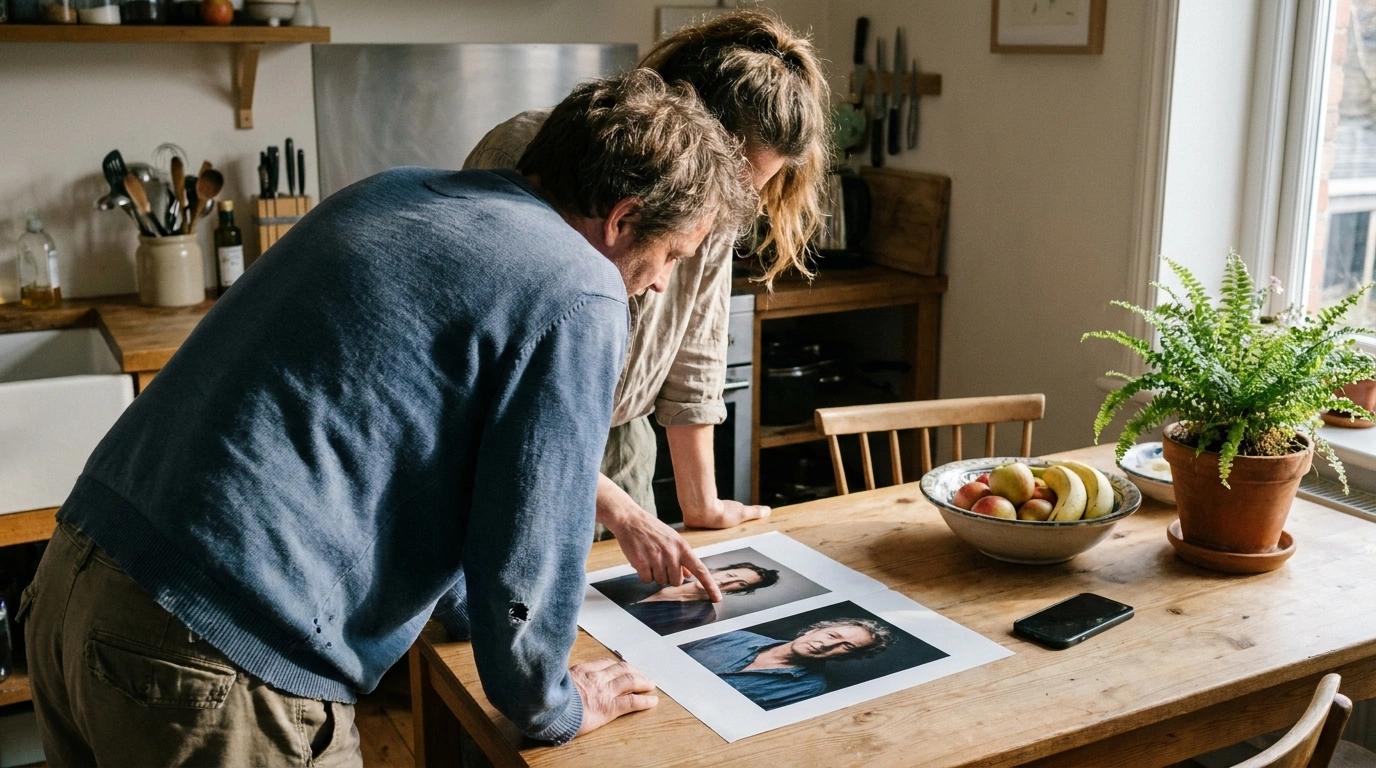
A take-home smile preview is the patient's own before-and-after image, sent home after the cosmetic consult by email, by text or as a branded PDF. It lets the patient show the people they decide with exactly what the dentist showed them. The case no longer depends on a verbal description of a picture someone saw for half a minute.
That sounds like a small courtesy. For a high-ticket cosmetic case it is closer to the whole game, because the yes is rarely lost in the chair. It is lost later, at a kitchen table, in a conversation the practice is not part of.
Why do cosmetic patients decide at home, not in the chair?
Three things are true of most veneer and smile makeover cases. They are elective. They cost real money. And the money is often shared.
Put those together and "I need to talk to my spouse" stops being a brush-off. It is an accurate description of how the household makes a decision of this size. The patient may already be sold. The person they go home to has not seen anything yet.
Now look at what the patient carries into that conversation. A number, written on a treatment plan. A memory of an image on a screen. And their own retelling, which starts with "it looked really good" and has nowhere to go from there. The excitement they felt in the operatory does not travel in words.
The other person in that conversation is not being difficult. They are being asked to approve a large expense on the strength of a secondhand description. Price is the only concrete thing in front of them, so price is what gets discussed.
This is one of the quiet reasons case acceptance on elective cosmetic work runs behind everything else a practice presents. The consult persuades one person. The decision often needs two.
A take-home preview changes what is on the table. The conversation is no longer a memory against a price. It is a picture of the patient's own face against a price, and the patient is no longer the only advocate for the case.
What should a take-home preview include?
Think of the preview as the practice's representative in a room you will never enter. It has to make the case on its own, and it has to do it honestly. Four things matter.
The patient's own face. A gallery of other people's results shows what the practice can do. It does not answer the question the partner is really asking, which is "what would this look like on you?" Only the patient's own before and after answers that.
The practice's name. An unbranded image forwarded from a phone is a picture. The same image with the practice's name on it is a proposal from a specific dentist. It also means that when the partner has a question, they know who to ask.
A plain statement that it is a preview. The image shows a direction, not a guarantee. Porcelain, gum tissue, bite and the clinical exam all shape the finished result. Saying so on the way out protects the practice at delivery, and it makes everything else the practice said more believable. We go deeper on that in our post on whether the final result will match the preview.
A way back. The person looking at the preview at home should be able to tell what happens next and how to reach the practice. A preview with no next step is a souvenir.
What we are leaving out on purpose: the wording of the message, how many times to follow up, and whether the fee goes in the same send. Those belong to your practice and should sound like your team.
One more quality bar. The preview has to hold up when someone who was not in the room looks at it cold, with no dentist there to explain it. A partner will forgive an honest preview. They will not forgive one that looks pasted on, which is the subject of our post on why some AI smile previews look fake.
How do you send a patient photo without creating a privacy problem?
A patient's face photo, held by a dental practice as part of their care, is protected health information. Full-face photographs are on the list of identifiers the HIPAA Privacy Rule names. So "I'll just text it to you from my phone" is a real exposure, however kind the intent.
Two ideas keep a practice out of trouble. This is general information and not legal advice, so check your own obligations with whoever handles compliance for you.
First, consent before the send. The patient should agree to receive the image, and agree to the channel. Text in particular should be something the patient opted into, not something that arrives unannounced on a phone a family member may also read.
Second, a tool the practice has an agreement with. A personal phone, a consumer messaging app or a free photo editor has no business associate agreement behind it. The preview should leave through the same system that made it, under the same protections.
Here is how Smile PreVue handles it. The practice can send the patient their simulation by email, or by text once the patient has given a double opt-in: verbal consent at the chair, then an attestation in the app. Texting is available to every practice, and it still requires that opt-in for each patient. Processing is HIPAA-compliant under the Google Cloud BAA on Vertex AI.
Which preview should never leave the office?
A bad preview sent home does more damage than no preview at all. In the chair, the dentist can talk past an odd-looking tooth edge or a shade that came out too bright. At home, the image has to speak for itself, and it gets shown to the most skeptical audience the case will ever face.
So the check belongs before the send, not after. Is this still clearly the patient? Did the lips, the skin and the framing stay as they were? Does the shade match what was discussed?
Smile PreVue builds that check in. Every preview gets a Fidelity Score. A second AI model compares the finished image against the patient's own photo and the requested treatment, and the clinical team sees Excellent, Good or Review on the patient record. A preview flagged Review names the specific problem and can be regenerated with that correction.
Be clear about what the score is. It checks the image against the photo and the treatment. It is not a clinical prediction, not a promise about the finished restoration, and it comes from an AI model, not a person reviewing the case. It is for the clinic team only. It never appears on a share link, on a PDF or on the payment page, so the patient and their family never see it.
How do smile tools handle sharing, and where does Smile PreVue fit?
Getting the preview out of the operatory is now a standard feature. We read three vendor pages on November 11, 2026, and each one sells some version of it.
- SmileViz lists "Take-home previews by text, email, or print" among its features (smileviz.com, fetched November 11, 2026).
- Smilecloud's App Store listing says a practice can "Send a Share Link for 24-hour secure access" to someone who does not use Smilecloud. The passage is written about sharing a case with collaborators (apps.apple.com, Smilecloud listing, fetched November 11, 2026).
- 3Shape's TRIOS Smile Design page has a section headed "Bring loved ones into the picture" and says patients can be sent home with the My-3Shape before-and-after smile app (3shape.com, fetched November 11, 2026).
We are not ranking these, and none of this compares quality, accuracy or price. The takeaway is narrower. Every serious tool lets the image leave. What separates a take-home preview that helps from one that hurts is what it says, how honest it is, and whether it arrives while the patient still remembers how the consult felt.
With Smile PreVue, the practice turns one patient photo into a photorealistic veneer or whitening preview in about 20 to 30 seconds, on an iPad or in a desktop browser. From there the practice can share it by email, by text with the patient's double opt-in, or as a clinic-branded PDF report the patient keeps. You can see how Smile PreVue shares previews with patients alongside the rest of the product.
If your cosmetic cases involve a lab, the same image has a second job after the yes. We cover that in what the lab needs from a smile case.
There is one plan: $149.00 per provider per month or $1,199 per year on the web, and $149.99 per month in the App Store. Details are on the Smile PreVue pricing page.
Frequently asked questions
Is it HIPAA compliant to text a patient their smile preview? Only with the patient's consent and through a tool your practice has a business associate agreement with. Smile PreVue requires the patient's double opt-in before any text is sent. Ask your compliance contact about your own policy.
Should the take-home preview include the price? That is the practice's call. Some teams want the image and the fee seen together, and others want the image to land first. There is no rule we would hand you, and no script.
Does sending the preview home mean the patient will not decide today? No. Patients who are ready will still say yes in the chair. The take-home preview is for the patient who was always going to leave and talk it over, so that the talk goes better.
Can I try Smile PreVue first? Yes. There is a 3-day free trial with no card on the web and 3 simulations a day, or you can download the iOS app.
Send the smile home with them
Give the conversation at home something to look at: start a 3-day web trial with no card or download the app from the App Store, whichever suits your practice.
More from the Blog
Will the Final Result Match the Digital Smile Preview?
Will the final result match the digital preview? Not exactly. What a smile preview can promise a patient, what it can't, and why saying so helps close.
Case AcceptanceVirtual Dental Consultation for Cosmetic Cases: What Works
A virtual dental consultation can start a cosmetic case, not finish it. What a remote consult shows, what needs the chair, and where a preview fits.
Case AcceptanceDoes Smile Simulation Increase Case Acceptance?
Does smile simulation increase case acceptance? Vendors claim 38% to triple. Here is what the research shows and when a preview helps a patient decide.