Smile Simulation on an iPad: Do You Need a Scanner?
Smile simulation on an iPad needs no scanner and no lab wax-up. What a photo-based preview does chairside, how it compares to DSD and TRIOS, and why it matters.
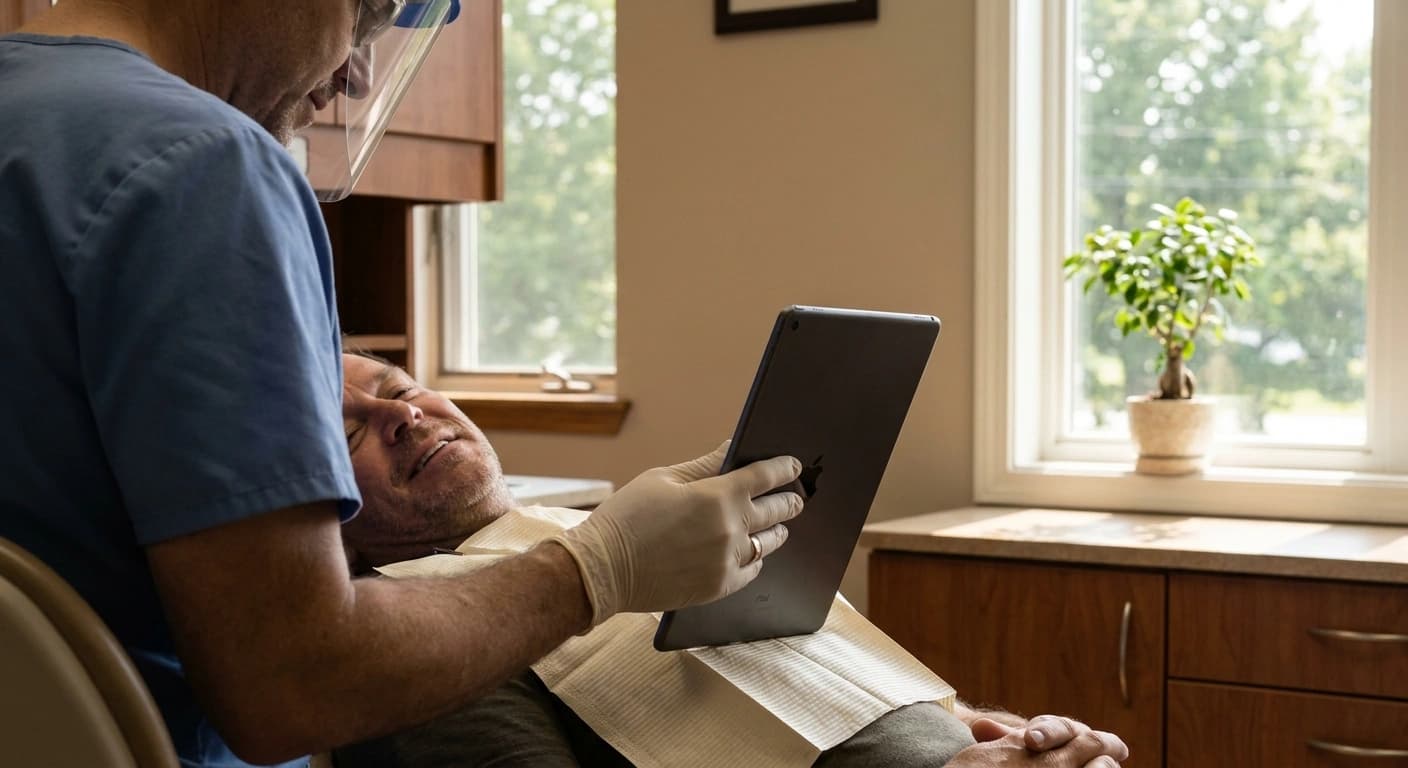
No, you do not need an intraoral scanner to show a patient what veneers will look like. A photo-based smile simulation such as Smile PreVue works from a standard clinical photo on the iPad already sitting in your operatory and returns a photorealistic preview in under 30 seconds, with no scanner, no lab wax-up, and no second appointment. The scanner still matters later, for fabrication, after the patient has already said yes.
That distinction is the whole post. A scan is a manufacturing input. A preview is a decision input. Practices conflate the two and end up believing the cosmetic close requires a capital purchase it does not actually require.
Do you need an intraoral scanner for smile simulation?
No. Scanning and simulating solve different problems at different points in the case.
An intraoral scan captures geometry. It exists so a lab, a mill, or an aligner workflow can build something that fits. It is a fabrication input, and it belongs after the case is accepted.
A simulation captures possibility. It exists so the person in the chair can look at their own face and decide. It is a decision input, and it belongs in the consult, while the patient is still deciding whether to spend five figures on their smile.
Practices that buy hardware to solve a decision problem end up with an expensive tool that arrives too late in the conversation. The patient who says "let me think about it" is not asking for better geometry. They are asking to see themselves.
What does a photo-based smile simulation actually do chairside?
At a concept level it is short. A clinical photo goes in. A photorealistic preview of the proposed result comes out in under 30 seconds. The clinician works across 20 plus VITA shades, and the patient can take the preview home by email, by text where the practice has texting enabled, or as a branded PDF report.
That is the mechanism. The product is what the mechanism produces: a patient who has seen the outcome and can make a decision now, instead of deferring one.
Smile PreVue runs on the iPad, sets up in about ten minutes, and is HIPAA-compliant on Google Cloud Vertex AI under a BAA. No cart, no scanner, no capture training for the team, no new footprint in the operatory.
What it does not do is decide anything clinical. The simulation does not diagnose and it does not treatment-plan. The dentist does both, exactly as before.
Why does the hardware question matter more in 2026?
Because the room for a speculative equipment purchase is thinner than it was.
The ADA Health Policy Institute's State of the U.S. Dental Economy report for the second quarter of 2026 puts numbers on it. Since January 2021, prices for dental equipment and supplies are up 23 percent, and hourly earnings of dental office staff are up 23 percent as well. Over the same stretch, overall inflation ran 27 percent, while reimbursement averaged across all payor types rose only 19 percent. HPI's own summary of the trend is blunt: "The 'fiscal squeeze' continues."
Demand is not rescuing that math. Consumer dental spending, adjusted for inflation, was up 1 percent over the 12 months ending May 2026. Stretch the window and the gap widens: over ten years, consumer spending on dental services is up 24 percent, against 46 percent for physician services and 39 percent for health care overall. Dentistry is lagging the rest of health care for the same patient dollar.
Meanwhile the schedule is fuller. In the second quarter of 2026, 41 percent of dentists reported treating every patient requesting care without being overworked, and 26 percent said they were not busy enough, down from previous quarters. Average new-patient wait time was 13.9 days.
Read those together as an operator rather than a clinician. Chair time is worth more than it was. Capital is more expensive than it was. The patient's willingness to fund elective work is flat. A cosmetic workflow that adds an appointment, a lab cycle, or a five-figure equipment line is fighting all three trends at once.
The cosmetic conversation is the highest-margin conversation in most practices. It should not require a purchase order to start.
Which smile simulation tools need a scanner?
| Option | What it runs on | Time to a patient-visible preview | Hardware commitment |
|---|---|---|---|
| Smile PreVue | A clinical photo on the iPad you already own | Under 30 seconds | None |
| Digital Smile Design (DSD) | A digital planning methodology with its own training track, where the DSD Provider course unlocks access to the DSD Planning Center | A planning engagement, not a chairside moment | Not a scanner as such, but a training and workflow commitment |
| 3Shape TRIOS Smile Design | Patient photos, inside the 3Shape Unite software environment | Chairside | Unite ships with a TRIOS scanner purchase and app use requires an active 3Shape license, so it sits inside the scanner ecosystem |
| Diagnostic wax-up (the status quo) | Impressions or a scan sent to the lab | Days | A lab relationship, plus impression or scanning capability |
Two notes so the table stays honest.
3Shape's own product page describes TRIOS Smile Design as visualizing treatment outcomes on patient photos, so photo-first visualization is not unique to us. What differs is the path to it. That capability lives inside 3Shape Unite, which ships with a TRIOS scanner purchase and requires an active license to run its apps, so the practical question is not "does this specific screen need a scan" but "what do I have to own to get to this screen."
DSD, for its part, is not primarily a piece of software. It describes itself as a methodology and a business system with certification and coaching attached. That is a real and serious offering for a practice rebuilding its entire cosmetic workflow. It is a heavy lift for a practice that simply wants a patient to see a preview on a Tuesday afternoon.
What a photo simulation cannot replace
This part matters more than the pitch.
A simulation is not a diagnosis. It does not evaluate occlusion, periodontal status, endodontic risk, or restorability. Nothing in the preview substitutes for the exam or the clinician's judgment.
It is not a fabrication file. Nothing in the preview goes to the lab. Once the patient accepts, the scan or impression happens exactly as your workflow already requires. If you own a scanner, you still use it. If you send impressions, you still send impressions.
It is not a promise, either. A preview visualizes a proposed outcome. The conversation about what is actually achievable in that particular mouth belongs to the dentist, and it should happen out loud.
Overselling a simulation is how a practice ends up with a disappointed patient at seat. The tool earns trust precisely because its job is narrow: move the patient from "I can't picture it" to "that is what I want," then get out of the way.
How does a no-hardware preview change case acceptance?
The hesitation most practices hear is not really about price. "I want to think about it" is usually a patient who cannot form a mental image of the result and is understandably unwilling to spend five figures on an abstraction.
That is why case acceptance work built only on pricing scripts tends to plateau. The gap is imaginative before it is financial. Close the imaginative gap and the money conversation becomes an ordinary one.
So the hardware question is really a timing question. Anything that pushes the visual to a second visit gives away the moment. Against a 13.9 day average new-patient wait and a schedule where 41 percent of dentists are already running full without slack, a second consult is not a neutral cost. It is a chair slot you did not have, for a patient whose enthusiasm has had two weeks to cool.
A preview that happens in the visit where the desire exists keeps the decision in the room. That is the operational argument for photo-based simulation, and it is why the absence of hardware reads as a feature rather than a compromise.
FAQ
Does Smile PreVue work on an iPad without a scanner? Yes. It runs from a standard clinical photo on the iPad. No intraoral scanner, no cart, no additional capture hardware.
How long does the simulation take? Under 30 seconds from photo to a patient-visible preview, across 20 plus VITA shades.
Is a photo-based smile simulation HIPAA-compliant? Smile PreVue is HIPAA-compliant and runs on Google Cloud Vertex AI under a BAA, and a BAA is signed with each clinic before any patient information flows.
Do I still need a scanner for the case itself? For fabrication after acceptance, use whatever your lab workflow already requires. The simulation itself needs none.
What does it cost to try? There is a 3-day free trial through the App Store, and the plan is $149 per provider per month. Setup takes about ten minutes.
Try it on your next cosmetic consult
If your next veneer consult is on the schedule this week, you already own the hardware. Start the 3-day free trial and show the patient their smile before they leave the chair.
Figures cited from the ADA Health Policy Institute, The State of the U.S. Dental Economy, 2nd Quarter 2026 Update.
More from the Blog
Smile Mockup Software for Dentists: Digital vs Wax-Up
Smile mockup software for dentists shows the finished result chairside in under 30 seconds. Here is how a digital mockup compares to a diagnostic wax-up.
Case AcceptanceDental Patient Retention Fell to 64%. Case Acceptance Is Why
Dental patient retention fell from 72% to 64% in 2026. Why case acceptance drives patient retention, and what top practices do differently in the chair.
Practice EconomicsWhat a Lost Cosmetic Case Costs a Dental Practice
What does a lost dental case cost? Run the math on declined cosmetic treatment, from the 45% average acceptance rate to what one more yes a week is worth.