How patients opt in to text messages
Consent and opt-in flow for the Smile PreVue SMS program
Smile PreVue sends a patient a single, transactional text only after a two-step (double) opt-in. There is no public web sign-up form: every recipient is an existing dental patient of the practice, and consent is captured in the two places shown below.
1. The provider records consent (in-app checkbox)
Before any text is sent, the dental provider must actively check a consent box in the Smile PreVue app. The box is unchecked by default and the Send button stays disabled until it is checked, so consent is always an active, deliberate confirmation.
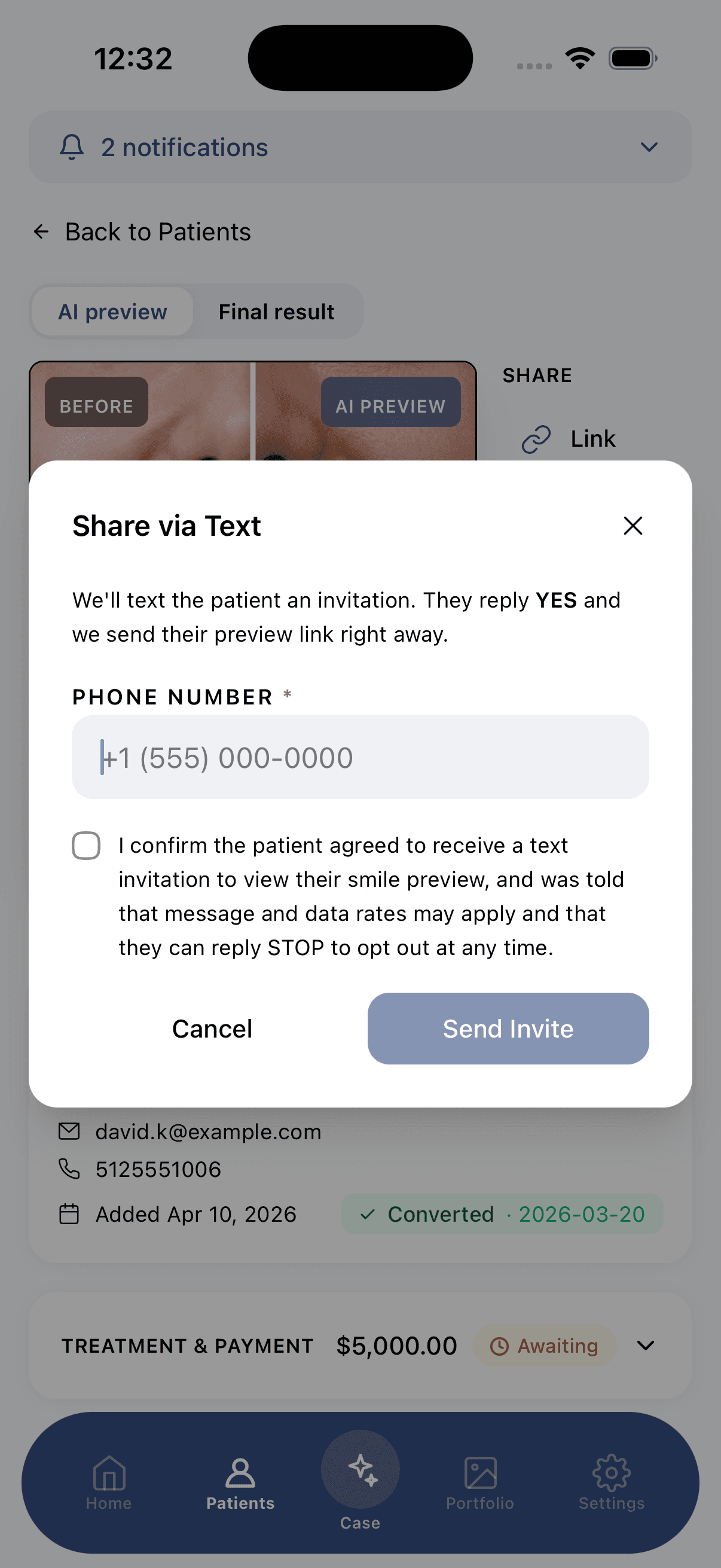
Exact checkbox wording
“I confirm the patient agreed to receive a text invitation to view their smile preview, and was told that message and data rates may apply and that they can reply STOP to opt out at any time.”
- Unchecked by default. Active consent is required.
- Discloses that message and data rates may apply.
- Discloses STOP to opt out.
- The Send button is disabled until the box is checked.
2. The patient confirms by text (double opt-in)
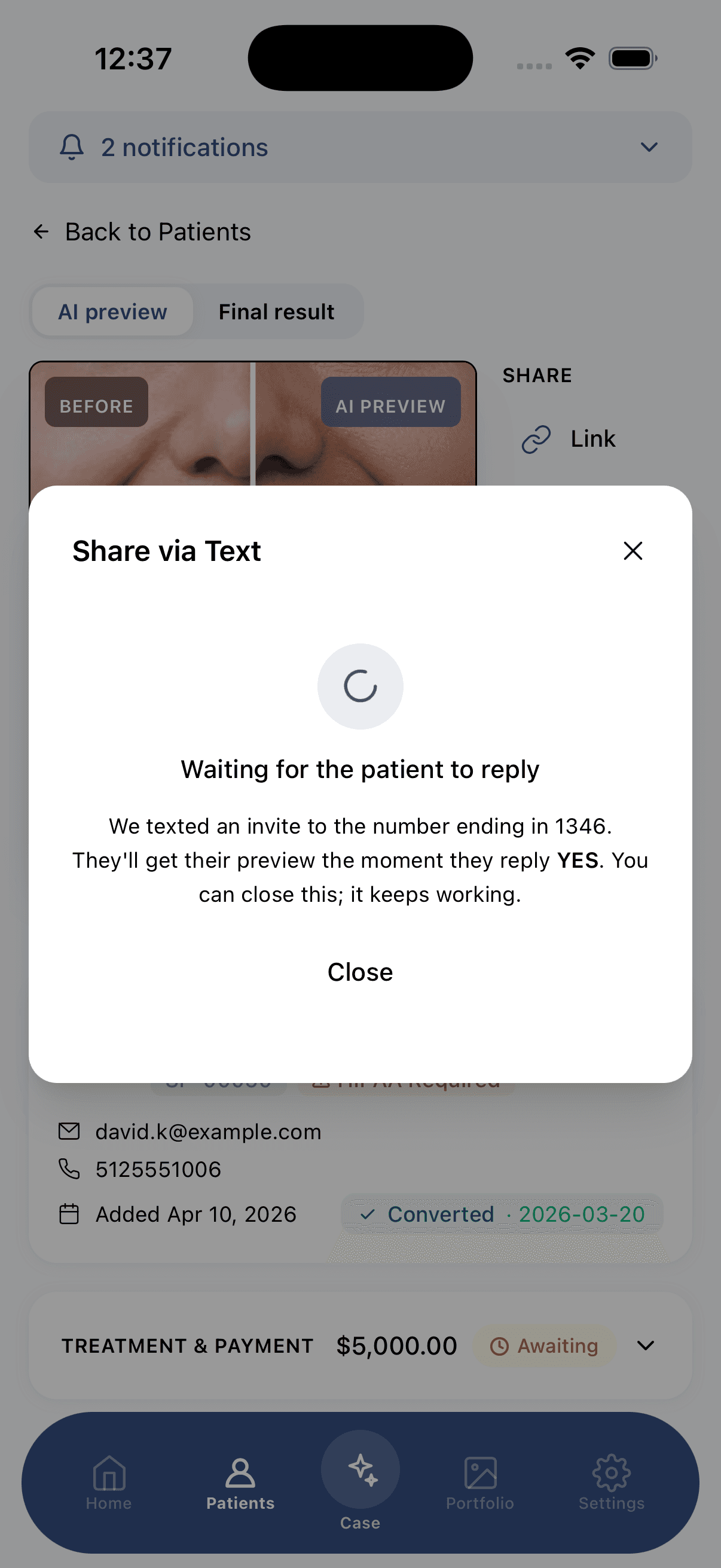
Smile PreVue then texts the patient a one-time invitation with no link in it. The patient must reply YES from their own phone before the preview link is sent. If they reply NO, or do not reply, no link is ever sent. The full conversation and the exact messages we send are shown below.
What the patient sees
When they tap the link
Paying is always optional and never a condition of receiving the text.
The only two messages Smile PreVue sends
Hi Sarah, your AI smile preview from Lakeview Dental is ready. Reply YES to view it, NO to decline. STOP to opt out. Msg&data rates may apply.
Hi Sarah, your AI smile preview from Lakeview Dental is ready: https://app.smileprevue.com/share/a1b2c3d4 This is a visualization, not a diagnosis. Link expires in 3 days. STOP to opt out.
STOP and HELP replies are handled by standard carrier auto-responses. Smile PreVue sends no other messages.
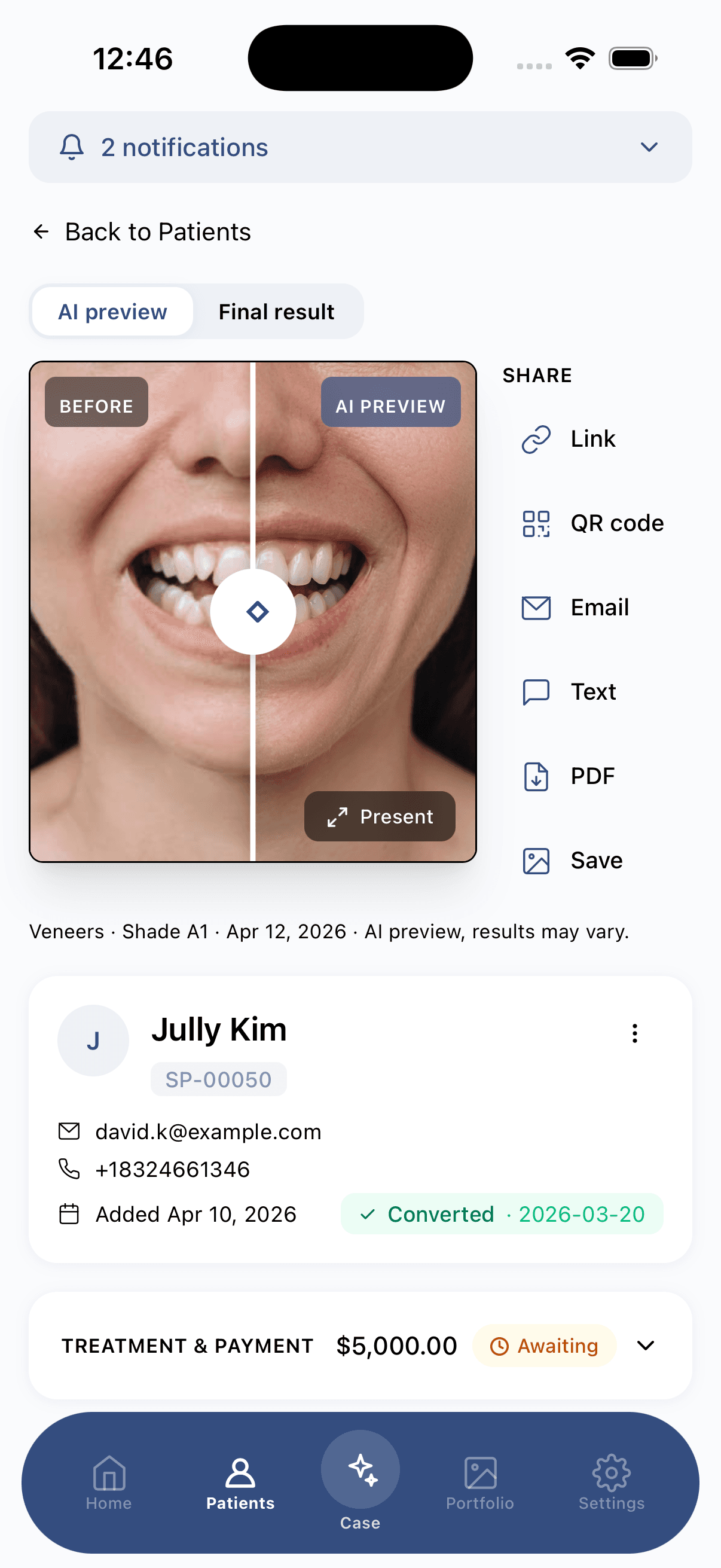
From the provider's side, inside the app
Program disclosures
- Message frequency. Transactional and one-time per share. This is not a recurring or marketing program.
- Message and data rates. Standard carrier rates may apply. Smile PreVue does not charge patients for messages.
- Opt out. Reply STOP to stop at any time, HELP for help.
- More detail. See our Privacy Policy and Terms of Service.