How to Show a Patient What Veneers Will Look Like Before You Prep a Tooth
How to show a patient what veneers will look like during the consult, and why letting them see their own result first turns a maybe into a same-visit yes.
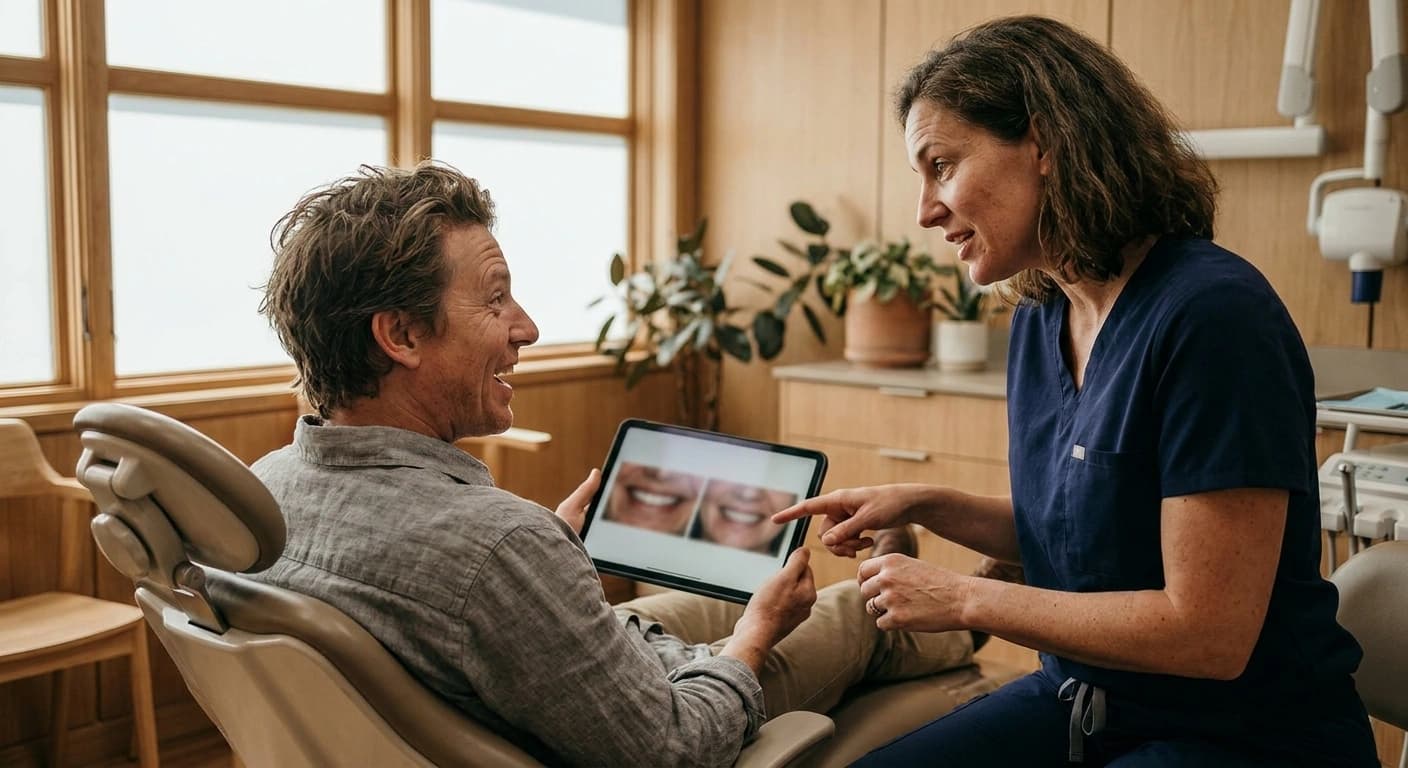
How do you show a patient what veneers will look like?
The fastest way in 2026 is an AI smile simulation that renders the patient's own new smile from a single photo in about 30 seconds, chairside, before you touch a single tooth. The patient looks down at a screen and sees themselves with the smile you are proposing, not a stranger from a brochure. That one moment does more for case acceptance than any amount of explaining.
There are four common ways to show a cosmetic result, and they are not equal. A freehand digital mockup, a diagnostic wax-up, a stock before-and-after gallery, and an AI photorealistic simulation all try to answer the same question the patient is really asking, which is "what will I look like." The difference is how fast you can answer it, how much it costs you, and whether the patient sees their own face or someone else's.
This matters because the patient cannot say yes to something they cannot picture. When you describe veneers in clinical language, you are asking them to do the imagining, and most people are bad at imagining their own smile. When you show them, you remove the guesswork and you remove the biggest silent objection in the room.
Why showing their OWN smile beats a generic before-and-after
A stock gallery proves that veneers work in general. It does not prove they will work on this specific person, and that gap is exactly where hesitation lives.
Two things happen when a patient sees their own simulated smile instead of a stranger's. The first is self-relevance. People process their own face differently than any other image, and a result rendered on their own photo lands as personal rather than promotional. The second is a quiet form of loss aversion. Once someone has seen the better version of their own smile, going back to the current one starts to feel like giving something up, not just declining an upgrade.
The market data backs up how powerful visualization has become. The US cosmetic dentistry market is projected to surpass 18 billion dollars by 2026 and is growing roughly 14 percent a year, according to URBN Dental's 2026 cosmetic dentistry statistics. The same research notes that 84.3 percent of patients who have already had cosmetic work want more of it, compared with 47.7 percent of those who have never had any. The pattern is clear. Once a patient can see and experience a result, appetite for treatment climbs. Visualization is the trigger, not the afterthought.
What a modern chairside preview tool actually does
At a concept level, a modern preview tool takes a photo in and gives a photorealistic new smile back. No scanner, no impression tray, no lab turnaround, no extra hardware sitting in the operatory.
You capture a normal photo of the patient's face, choose the shade and shape direction you are recommending, and the software renders the proposed smile on their own image. The patient holds it, reacts to it, and asks the questions that a still photo of the current smile never prompts. Because it runs from a photo, it fits into the flow of a consult you are already having, instead of adding a separate appointment.
We are deliberately not going to walk through the exact chairside steps or show you the specific screens here. The point of this piece is to teach the frame, not to hand over a workflow. What you should take away is that the technology to show a patient their own veneer result in the same visit exists, it is fast, and it does not require you to rebuild your operatory around it.
Freehand mockup vs wax-up vs stock photos vs AI simulation
Here is how the four approaches compare on the things that actually decide whether you use them during a live consult.
| Method | Speed | Cost per case | Patient-specific | Hardware needed | Chairside or lab | Patient photos handled |
|---|---|---|---|---|---|---|
| Freehand digital mockup | Minutes, if you have the skill | Your chair time | Yes, but rough | Design software | Chairside | Depends on the tool |
| Diagnostic wax-up | Days | Lab fee plus time | Yes | Impressions or scanner, lab | Lab | Physical model |
| Stock before-and-after gallery | Instant | Low | No, generic | None | Chairside | Not the patient's |
| AI photorealistic simulation | About 30 seconds | Low, per subscription | Yes, their own face | None, works from a photo | Chairside | Should be under a BAA |
The wax-up is still the gold standard for planning the actual restorations, and it always will be for the technical work. But it is slow and it happens after the patient has already agreed to move forward. Stock galleries are instant but generic. Freehand mockups are personal but depend on your design time and skill. An AI simulation is the option built for the moment that decides the case, fast, patient-specific, no hardware, and it runs on an iPad.
Smile PreVue sits in that last row on purpose. It is the fast, patient-specific way to show a result with no hardware, and it handles patient images on HIPAA-grade infrastructure covered by a Business Associate Agreement.
Is showing a smile preview HIPAA compliant?
Patient photos are protected health information. Any tool that takes a patient's face, stores it, and processes it is handling health data, whether or not it feels like a clinical record in the moment.
That means the standard is not "does it look secure." The standard is whether the vendor will sign a Business Associate Agreement and run that data on HIPAA-compliant infrastructure. A consumer photo-editing app or a general AI image site is not built for this, and running patient faces through one is a compliance risk you do not need to take.
Smile PreVue runs HIPAA-compliant and is BAA-covered, which is the baseline you should insist on for anything that touches a patient's image. When you evaluate any smile preview software, ask the BAA question first. If the answer is unclear, that is your answer.
Turning the preview into a same-visit yes
The preview does its real work on the objection nobody says out loud, which is "I can't picture it." Once that is gone, the conversation moves to the questions that actually mean interest, like timing and cost.
When price comes up, seeing the result first reframes it. The patient is no longer weighing an abstract procedure against a number. They are weighing a specific outcome they can see against a number, which is a far easier decision to say yes to. And if the fee is a hurdle, the practice can collect in full or offer pay-over-time financing through third-party partners, subject to approval, so the cost conversation does not stall the case. Financing is an accelerant here, not the hero. The hero is that the patient can finally see it.
This is the core of modern case acceptance. You are not talking someone into treatment. You are removing the uncertainty that was keeping them from saying yes to something they already wanted.
Digital Smile Design deserves credit for proving this out. DSD showed the profession that previewing the outcome changes how patients decide, and it built a whole methodology around it. The opportunity now is to do that same thing faster, chairside, with no extra hardware, so the patient sees their smile in the same visit instead of waiting on a design session.
FAQ
Do I need a scanner? No. Smile PreVue works from a photo on an iPad, so there is no scanner, impression, or extra hardware required to show a result.
How long does it take? About 30 seconds per simulation, which is why it fits inside a live consult rather than requiring a separate appointment.
Is it HIPAA compliant? Yes. Smile PreVue is HIPAA-compliant and BAA-covered, which is the standard any tool handling patient photos should meet.
How is this different from Digital Smile Design? DSD proved that outcome preview drives decisions. Smile PreVue does it faster and chairside, with no hardware, so the patient sees their own result in the same visit.
Seeing the result before any prep is what turns a thoughtful maybe into a confident yes. If you want to show your next consult their own new smile, you can start a 3-day free trial through the App Store and try it on a real case this week.
More from the Blog
How to Choose AI Smile Simulation Software in 2026: A Buyer's Guide for Practices That Want to Close
AI smile simulation is standard in 2026. Here is what actually matters when choosing software that lifts case acceptance, not just generates a pretty preview.
Case AcceptanceDental Patient Retention Fell to 64%. Case Acceptance Is Why
Dental patient retention fell from 72% to 64% in 2026. Why case acceptance drives patient retention, and what top practices do differently in the chair.
Practice EconomicsWhat a Lost Cosmetic Case Costs a Dental Practice
What does a lost dental case cost? Run the math on declined cosmetic treatment, from the 45% average acceptance rate to what one more yes a week is worth.